Wavesteam
HomeCasesSolutionsKnowledge & InsightsAbout
中EN
Wavesteam

Show management

Admission checks

Group-ticket entitlements

Entrance checks

Check-in records

Attendance reporting

Event Ticketing & Admission Management

Manage group-ticket entitlements, entrance checks and attendance reporting around the rules of your venue.

Try the interactive demoIndustry report (Chinese)
  • 01

    Ticket rules

    Define the admissions included in each bundle.

  • 02

    Partial admission

    Show used and remaining entitlements separately.

  • 03

    Check-in records

    Keep the session, entrance and time connected.

  • 04

    Reporting units

    Distinguish ticket bundles, entitlements and admissions.

Connected teams

A group ticket needs more than a used flag

Workflow illustration
Audience
Door team
Organizer
One admission recordTicket type · session · check-in

Track bundles and admissions separately.

01

One guest on a two-person ticket arrives early; the other arrives later. Staff need to see how many admissions remain. Marking the whole ticket as used creates a dispute at the second arrival. Leaving it unused obscures the admission already recorded.

02

Separate the ticket bundle from its admission entitlements. Staff act on a defined number of admissions, while managers distinguish bundles sold, people entitled to enter and admissions checked in.

03

This approach is relevant to recurring shows with group tickets or several entrances. Where an existing platform already supports the required rules, assess that capability before commissioning additional software.

From request to action

Give entrance staff an actionable result

Staff select a session and entrance, enter a sample ticket reference and confirm. The result identifies the session, ticket type, used and remaining entitlements, time and entrance.

After one admission is used on a two-person ticket, the result shows one used and one remaining. The organizer workspace keeps the corresponding entry, helping staff check the next arrival and trace earlier admissions.

Try the workflowIllustrative scenario · local state only
One two-person ticket

Separate arrivals. Clear decisions.

01

Available admission

02

Available admission

Bundles1Used0Remaining2

Check in a guest to see how bundles and admissions differ.

The operating model

Agree exception rules before doors open

SituationRule to settleRecord required
A group arrives separatelyWhether partial admission is allowed and how many entries to useUsed and remaining entitlements
A ticket is presented againWhether admissions remain or the attempt is a duplicatePrevious results and times
A ticket is refunded or for another showWhether to refuse entry and who handles escalationReason and responsible operator
A staff member makes a mistakeWho may reverse the actionOriginal entry, reversal and reason

Define these decisions before implementation, then test them with the equipment and entrances used on site. The demo shows ticket-reference entry and feedback. Concurrent devices, cameras, scanners and recovery after a network outage require separate validation.

Record relationships

A check-in decision

01Remaining entitlements
02Check-in history
03Refund & session status
04Actions & permissions

Rules that travel with the work

Keep sales and attendance measures distinct

MeasureBusiness questionDefinition to agree
Ticket bundles soldHow many sales units were issued?Treatment of refunds, complimentary tickets and cancellations
Admission entitlements soldHow many people may enter?Admissions included in each ticket type
Admissions checked inHow many entitlements were used?Reversals and repeated presentations
Check-in rateWhat proportion of entitlements has been used?Included sessions and reporting cutoff

The demo presents these units separately and displays its check-in-rate formula. The operational benefit is a shared definition of sales and attendance. Refund, channel and settlement reporting also requires agreed source data.

Operating model
Bundles
Entitlements
Admissions
Redemption rate

Used entitlements ÷ Sold entitlements

Sales and attendance answer different questions.

Ready for the next handoff

Carry the right rules into the next show

The organizer workspace lists shows with ticket types, sales and remaining quantities, plus search, filtering and sorting. The audience view displays categories, times, locations and starting prices.

For recurring events, define which information can be reused and which must be confirmed for each show: entrances, admission times, complimentary allocations and refund policies. If several sales channels are involved, establish how each supplies order and check-in data before designing a consolidated view.

Workflow illustration
01Session & ticket types
02Admission & refunds
03Entrances & staff
The next showReuse rules; confirm each session

A wider perspective

What established venue operations reveal about procurement

Product & customer practice

Eventbrite

PianoFight

Mobile ticketingEntrance operationsInternal reports
Historical venue case · 2015–2016
01Buy a ticket↓
02Check in at the venue↓
03Use operational records

Workflow illustration based on the published case.

The customer task

Eventbrite’s historical PianoFight case connects mobile ticket buying, entrance check-in and API-based internal reporting. For a venue with a regular program, the buying decision extends from selling tickets to running the door and using the data afterwards. The vendor-published case concerns 2015–2016; it does not establish current operating scale or a return for this solution. PianoFight case study
How the model works

Charging models affect the decision too. Ticket Tailor offers pay-as-you-go ticket fees and prepaid credits, with payment processing charged separately through connected payment services. Compare the software and collection costs together, and check how refunds and existing payment accounts will work. Ticket Tailor pricing

What to evaluate

These products provide references for the same operating tasks. Availability, payment options and channel suitability depend on your market. Retain channels that contribute useful sales; scope additional software around gaps in your admission rules, reporting and staff authorization.

Choose the right approach

Platform, integration or tailored system?

Select an approach to focus your evaluation01 — 03

EVALUATION FOCUS

Check that the platform’s rules, channels and data terms fit your operation.

01

Confirm who owns orders and refunds, who maintains entitlement status, which records feed finance and who handles entrance exceptions. Assess investment against actual ticket volume, channel contribution and the long-term support plan.

A practical first release

Scope the first release around one show

  1. 01

    Prepare the event details

    Bring a representative ticket-type table, group-ticket rules, refund policy, entrance and device list, and the channels you want to retain. Use them to define the first release, design the workflow, develop integrations and rehearse on site before launch.

  2. 02

    Define acceptance scenarios

    Acceptance should cover valid tickets, remaining entitlements, repeated presentations, refunds, the wrong session and operator mistakes. Multiple entrances require simultaneous tests on the actual devices and network.

  3. 03

    Confirm production requirements

    The demo uses local data and simulated payments. Live ticket sales require connected order, payment, refund and admission services, with an agreed operating and support arrangement.

Planning your project

Before you commission a system

Practical decisions about tools, operating rules and investment.

Have a specific workflow to discuss?

Bring a representative project and your current rules.

Contact Wavesteam

Must we replace our current ticketing platform?

Assess its configuration and interfaces first. Keep suitable channels and scope only the operational or entrance connections that are needed.

Can a group ticket be partially refunded or transferred?

Define the policy before designing the entitlement and refund relationship. Include examples of partially used tickets and transfer requirements in acceptance.

How do several entrances avoid using the same admission twice?

Each entrance needs a shared entitlement state and clear duplicate feedback. Rehearse simultaneous use of the same ticket across the actual devices before launch.

How do we judge whether tailored development is worthwhile?

Record the work involved in exceptions, reporting and channel reconciliation. Compare available platform capabilities with development and ongoing maintenance. Validate the scope before committing to a larger rollout.

Explore your next step

Follow a group ticket from the entrance to the report

Inspect the sample ticket’s remaining entitlements in the check-in view. Select a session and entrance, try the feedback, then find the record in the organizer workspace. Compare bundles sold, entitlements sold and admissions checked in. Bring your most difficult entrance exception to the requirements discussion.

Explore the demo
  1. 01

    Check admission rights

    Review a group ticket at the entrance.

  2. 02

    Find the check-in record

    Follow the result in the organizer workspace.

  3. 03

    Compare reporting units

    Distinguish bundles, entitlements and admissions.

Bring your workflow. Define the next step.

  • Ticket types
  • Group admission rules
  • Refund policy
  • Entrance setup
Discuss your workflow

Related solutions

More Wavesteam solutions

AI, capital-markets docs, OCR, vision, IoT and membership operations — composable for your industry.

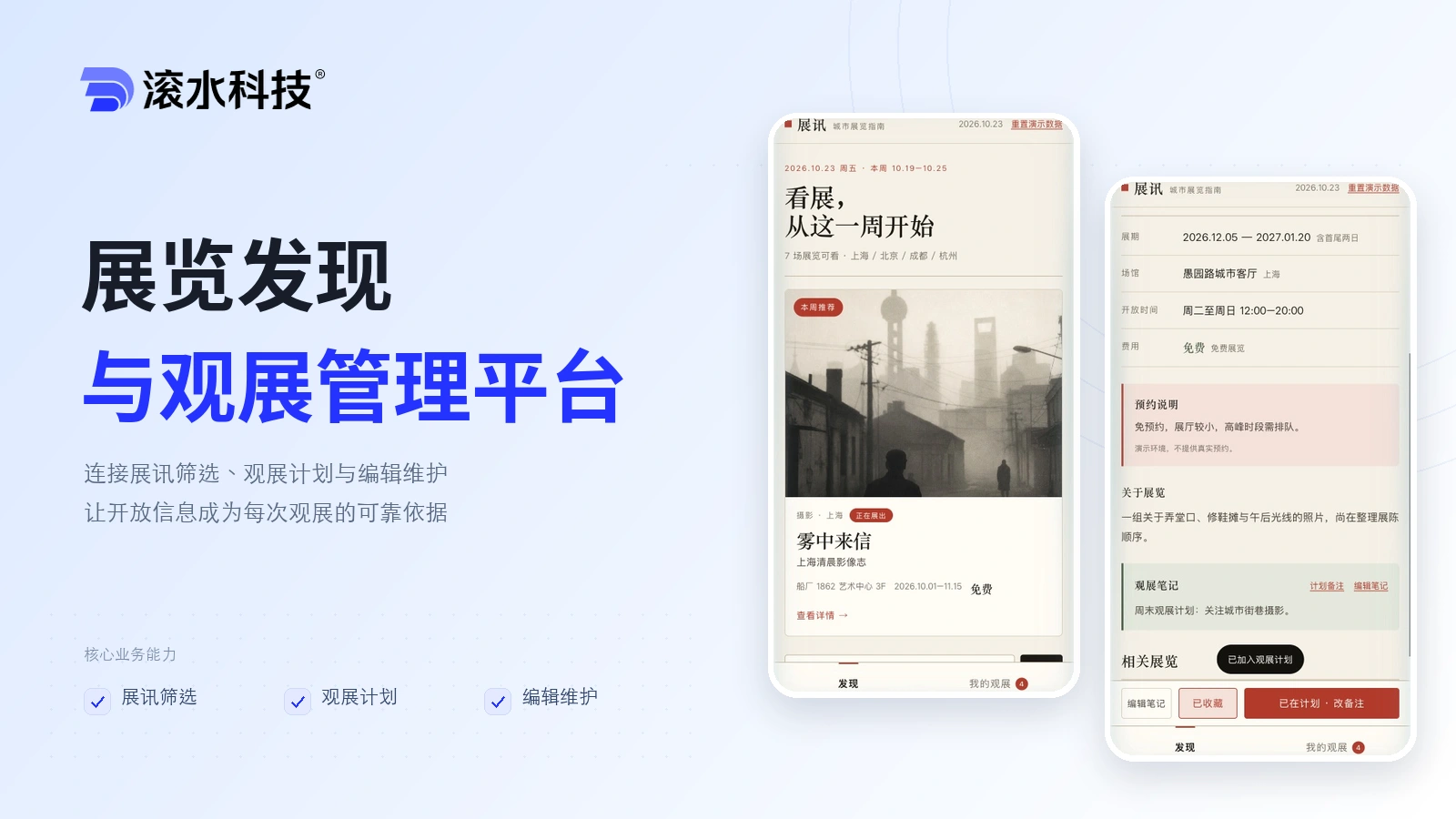
  • Exhibition Discovery & Visit Planning

    Exhibition Discovery & Visit Planning

    Connect exhibition listings, personal visit plans and editorial updates so audiences can plan a visit with the right information.

    • Exhibition discovery
    • Visit planning
    • Editorial updates
    Explore solution→
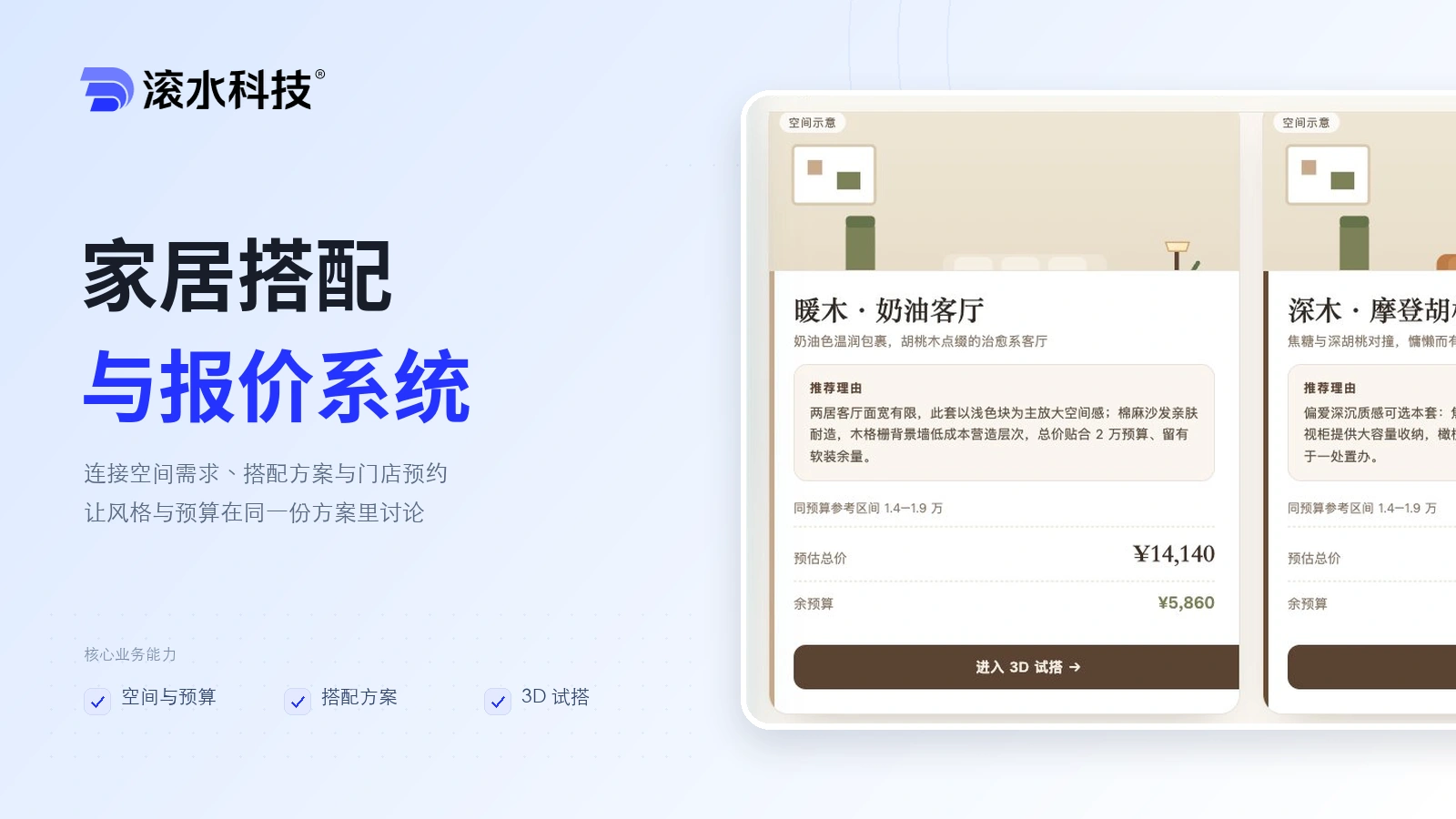
  • Furniture Configuration & Quoting

    Furniture Configuration & Quoting

    Help shoppers move from a room brief and budget to comparable furniture options, a 3D preview and a store appointment.

    • Room brief
    • Style options
    • 3D configuration
    Explore solution→
  • Learning Self-assessment & Course Enquiry

    Learning Self-assessment & Course Enquiry

    Give families a structured introduction to your programmes through grade-based activities, clearly explained results and course enquiries.

    • Grade selection
    • Learning activities
    • Course discovery
    Explore solution→
Wavesteam Technology

Manage group-ticket entitlements, entrance checks and attendance reporting around the rules of your venue.

Contact us
© 2026 Wavesteam Technology. All rights reserved.
Email:contact@boilingwater.cnAddress:10F, South Block, Kingkey Royal Tower, Longgang District, Shenzhen